
The Ultimate $500 Budget Gaming PC Build Guide (Updated April 2026)
Affiliate disclosure: This guide contains affiliate links. If you purchase through them, I may earn a small commission at no extra cost to you — it helps keep these guides free.
If you’ve been putting off building a PC because you’re not sure your budget is “enough” — stop waiting. 2026 might be the best year in recent memory to build a powerful gaming machine without breaking the bank. GPU prices have stabilized, older-gen hardware has dropped to genuinely great prices, and the used market is absolutely stacked with value right now.
Most budget PC guides hand you a parts list and call it a day. This one takes a different approach. Instead of telling you exactly what to buy, it teaches you how to think about spending your money — so you can make smart decisions whether your budget is $400 or $900, and whether you’re buying today or in three months when prices shift again.
If you want a step-by-step assembly walkthrough too, check out our How to Build a PC: The Ultimate Beginner-Friendly Guide — it covers everything from first boot to driver installs.
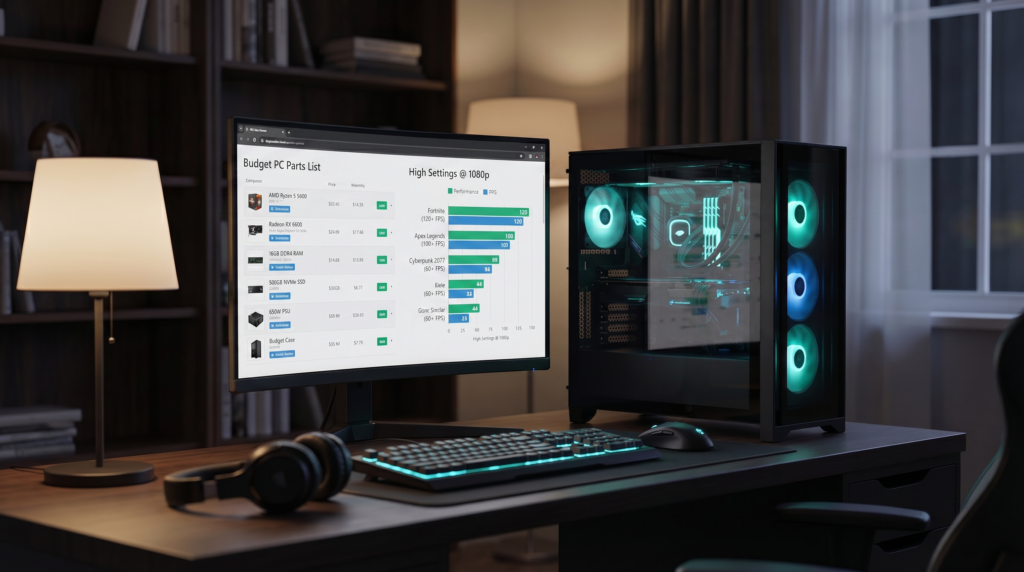
QUICK RECOMMENDATION: THE BEST $500 PARTS RIGHT NOW (APRIL 2026)
Short on time? Here’s the current sweet spot for $500 — solid 1080p performance with room to upgrade later.
| Component | Recommended Part | Amazon Link |
|---|---|---|
| CPU | AMD Ryzen 5 7600 (AM5) | [Check Price on Amazon] |
| GPU | NVIDIA RTX 4060 Ti 8GB or RX 7700 XT 12GB | [Check Price on Amazon] |
| Motherboard | MSI PRO B650M-A WiFi | [Check Price on Amazon] |
| RAM | 32GB DDR5 6000MHz CL30 | [Check Price on Amazon] |
| Storage | 1TB NVMe Gen4 SSD (Crucial/WD) | [Check Price on Amazon] |
| PSU | Corsair RM750e 80+ Gold | [Check Price on Amazon] |
| Case | Montech AIR 903 MAX (Mesh) | [Check Price on Amazon] |
1. WHAT “BUDGET” ACTUALLY MEANS IN 2026
Here’s something most guides won’t tell you: “budget” isn’t a price tag, it’s a mindset. For some people $500 is the limit. For others, $800 feels like budget territory. The actual definition is simpler than either number — a budget build is one that maximizes performance per dollar, without wasting money on things that don’t improve your gaming.
In 2026, that means four things:
- GPU first, always. Your graphics card drives 70–80% of gaming performance. Everything else supports it.
- Skip the extras that don’t add FPS. RGB lighting, premium motherboards, AIO coolers — none of these make your games run better.
- Think about your upgrade path. AM5 and Intel LGA1700 are still relevant platforms. A cheap CPU on the right socket saves you money in two years.
- Timing matters. A GPU bought during a sale or on the used market can outperform one bought new at full price. When you buy often matters as much as what you buy.
2. FIGURE OUT YOUR TARGET PERFORMANCE BEFORE TOUCHING A PARTS LIST
The most common mistake budget builders make is picking parts before deciding what they actually want out of their PC. Spend two minutes here and every decision after becomes easier.
- 1080p 60–120 FPS (ultra budget): Great for esports and casual gaming. An RX 6600, RX 7600, RTX 4060, or used RTX 3060 Ti all get you there comfortably.
- 1080p 144Hz+ (competitive): CPU quality matters more at this level. Look at the RTX 4060 Ti, RX 7600 XT, or used RTX 3070-tier cards.
- 1440p high settings: The mainstream sweet spot in 2026. RX 7700 XT, RTX 4060 Ti, and used RTX 3070/3080 are all strong contenders here.
- Entry-level 4K / 1440p ultra: Still achievable on a “budget” if you shop smart. Used RTX 3080 and RX 6800/6950 XT are hard to beat at their current prices.
Not sure how to match components without compatibility issues? Our How to Choose the Right PC Components guide walks through the whole process.
3. THE BUDGET BUILDING RULES THAT NEVER CHANGE
Hardware generations come and go, but these principles have held up for years and still apply in 2026:
- Spend the most on the GPU — that’s where frames come from
- Pick a CPU with strong single-core performance and 6–8 cores — games don’t need more than that right now
- Don’t overpay for motherboard features you’ll never use
- Buy RAM and storage with future game requirements in mind — both are getting more demanding fast
4. CHOOSING EACH COMPONENT: THE 2026 VALUE BREAKDOWN
GPU — Where most of your money should go
The GPU market is genuinely good right now. Here’s how to navigate it:
Top new GPUs worth buying in 2026:
- RX 7600 — best value for 1080p esports
- RX 7600 XT — comfortable 1080p, solid entry into 1440p
- RTX 4060 / 4060 Ti — excellent power efficiency, strong DLSS support
Best used GPUs in 2026 (gold tier):
- RTX 3070 — the used market king, exceptional value
- RX 6700 XT / 6750 XT — great 1440p performance
- RTX 3080 10GB — serious performance at a fraction of its original price
TIP: Used GPUs can deliver 40–70% more performance per dollar than buying new — but do your homework. Check thermals, ask about the card’s history, and buy from sellers with solid feedback.
CPU — Fast cores beat core count for gaming
Games in 2026 still don’t need a 12-core processor. What they do need is fast single-core performance. Here’s where the value is:
- New: Ryzen 5 7600 (top pick for new builds), Intel i5-13400F / i5-14400F (strong Intel value options)
- Used: Ryzen 5 5600 / 5600X (exceptional AM4 value), Intel i5-12400F (reliable budget option)
TIP: If you can stretch an extra $80, the jump from a Ryzen 5600 to a Ryzen 7600 moves you to the AM5 platform — supported with new CPUs through 2027 and beyond. That upgrade path alone can save you significantly on your next build. [Check Ryzen 7600 price on Amazon]
RAM — 16GB minimum, 32GB if you can swing it
Modern AAA titles are genuinely memory-hungry now. 16GB will get you by, but if your budget allows 32GB, you’ll feel the difference in newer releases.
- DDR4 systems: 16GB at 3200–3600MHz is the minimum; 32GB is the comfortable target
- DDR5 systems: 32GB at 5600–6400MHz is the sweet spot; 16GB is starting to feel tight in newer titles
Storage — NVMe is the baseline in 2026
Don’t build a 2026 gaming PC on a SATA SSD unless you’re genuinely out of options. NVMe drives are cheap enough now that there’s no real excuse. Aim for 1TB minimum on PCIe Gen 4 — games like GTA VI and major expansions fill storage fast.
Curious how much storage speed actually affects gaming? We tested it: SSD vs NVMe vs SATA – Does Storage Speed Affect Gaming Performance?
Motherboard and PSU — Buy smart, not cheap
Motherboard: Stick to proven chipsets — B550 for AM4, B650 for AM5, B760 for Intel. Don’t pay extra for features you don’t need.
PSU: This is the one place you should not go bargain hunting. A budget build typically needs 550–650W. Stick to reputable brands — Corsair, Seasonic, MSI. A cheap no-name PSU can destroy every other component if it fails. It’s not worth the risk.
WARNING: Avoid off-brand PSUs at all costs. A $30 saving on the power supply is not worth risking a $400 GPU and CPU.
5. THREE WAYS TO APPROACH YOUR BUDGET BUILD
- Strategy A — GPU-first (maximum FPS): Put 45–50% of your budget into the graphics card. Everything else is support. Best for competitive gamers who care about frame rates above all else.
- Strategy B — Balanced build (best all-rounder): ~40% GPU, ~25% CPU, ~25% RAM and storage. Ideal for 1440p gaming, streaming, or anyone who multitasks while gaming.
- Strategy C — Upgrade path build (start cheap, scale later): Invest in a strong platform now (AM5 / B650) with a mid-range GPU. In 2027, a GPU upgrade alone gives you a completely different machine.
Once your build is done, software optimization matters just as much as the hardware. Our Improve FPS in Any Game: The 2026 Ultimate Settings Guide covers the rest.
6. EXAMPLE BUILDS FOR 2026
$600 Value Build — Best bang for buck
- CPU: Ryzen 5 5600
- GPU: RX 7600 [Check price on Amazon]
- RAM: 16GB DDR4
- Storage: 1TB NVMe
- Best for: 1080p 144Hz esports, 1080p AAA on high settings
$900 Future-Proof Build — Serious longevity
- CPU: Ryzen 5 7600 [Check price on Amazon]
- GPU: RX 7600 XT or RTX 4060 Ti [Check price on Amazon]
- RAM: 32GB DDR5
- Motherboard: B650
- Best for: 1440p gaming with a clear upgrade path through AM5
7. BUDGET GAMING ACCESSORIES WORTH CONSIDERING
The PC itself is only part of the equation. Here are reliable peripherals that won’t eat into your build budget:
- Mouse: SteelSeries Rival 3 — precise, lightweight, great for FPS [Check price on Amazon]
- Keyboard: Redragon K552 Mechanical — the most popular budget mechanical for good reason [Check price on Amazon]
- Headset: HyperX Cloud Stinger 2 — comfortable and clear for long sessions [Check price on Amazon]
- Monitor: Sceptre 24-inch 165Hz — a hard monitor to beat at this price point [Check price on Amazon]
8. ASSEMBLY IN FIVE STEPS
1. Install CPU and RAM onto the motherboard
2. Seat the NVMe SSD into its M.2 slot
3. Mount the motherboard into the case
4. Install the PSU and GPU
5. Connect all cables and power on
For a full walkthrough with photos and troubleshooting, our How to Configure a Gaming Setup guide covers everything after the build too.
FINAL THOUGHTS
There’s never been a better time to build a gaming PC on a tight budget. The hardware available in 2026 — both new and used — gives you options that simply didn’t exist two or three years ago. Whether you’re spending $500 or $900, the principles are the same: prioritize the GPU, don’t pay for what you don’t need, and build on a platform you can grow with.
Do that, and you’ll end up with a machine that punches well above its price tag.

The PlayOptimized Team is made up of PC enthusiasts passionate about helping everyday users get the most out of their hardware. From budget builds to advanced optimization, every guide is written with one goal in mind: practical advice that actually works, without the technical overwhelm.